by Aaron Spence | Mar 8, 2016 | Projects, News
10 years ago the first iPhone was more than a year away. Google Street View had well over a year until launch. Facebook wouldn’t become open for another 6 months. Palmer Luckey the founder of Oculus was 13 years old and VR as a head mounted modern technology was almost a decade from realisation. But 10 years ago, specifically at 5:22pm on March 8th 2006 a very important thing was happening at Panedia. It’s the day I shot the very first panorama (above) in what was to become our Panorama Production System. It’s around the time Michelle (my wife) and I decided to risk everything we had on VR and it’s close to the day Panedia was registered as a company. So it’s the day we celebrate 10 amazing years of Panedia. 10 years ago I was starting on a new journey. Sure I had been shooting panoramas for 6+ years at the time, but not as my only source of income. From that day onwards I was dedicated only to VR. Not only dedicated but prepared to spend every dollar I had and more, building a company and system to produce VR better and faster than ever before, and importantly with GPS data for online mapping. Many hundreds of thousands of dollars and years later, we have what I regard as the best professional panorama system there is. With our systems we have become the number one contributor to Google Maps worldwide. In fact just today we received an email from Google congratulating us on 175 million views of our VR content on Google Maps. From our systems...

by Aaron Spence | Nov 9, 2015 | News
One and a half years ago we published our first virtual tour on Google Maps. It was a gorgeous sunrise walk around the base of Uluru (Ayers Rock), one of Australia’s most important landmarks. Given 99.999% of the world’s people will never visit Uluru we’ve enjoyed providing this content on our websites for years. But our websites don’t have the reach of Google, with 1 billion monthly visitors to Google Maps. So it was with much pleasure we published this group of panoramas on Google Maps to enable people from all over the globe to experience Uluru. Over the following months we published many other Virtual Tours from around the world that we’d had the privilege to photograph. From New York City to London, Paris, Tokyo, Nepal, Lisbon, Los Angeles, San Francisco and many other wonderful places. We are so very pleased that people have responded overwhelmingly to the content we’ve produced, this is reflected in the number of panorama views we’ve had: 100 Million Google Maps Views. To us it is extremely rewarding to see those numbers, while we continue to love ‘the magic’ in this technology that allows people thousands of kilometres away to be able to enjoy a specific place or event as much as we enjoyed capturing it. After more than 15 years producing 360 – VR content I never grow tired of it, and don’t believe I ever will. Panedia on Google...

by Aaron Spence | Jun 1, 2015 | News
Things are a ‘little’ hectic at present. We’re just back from a crazy time shooting multiple projects around Vivid and the Opera House in Sydney. Carlos left this morning on a 2 week shoot for Tourism Queensland and just now we passed 30 Million Views on Google Maps. 30,059,310 to be precise 😉 We used to announce each additional million views our content had amassed, but somewhere around 16 million our view count was going up at almost a million a week, so it became pointless. Then we planned for a party at 20 million, which flew by while we were running a stand at an Expo in Melbourne, then we thought… OK 25 million for something special, but we jumped way beyond that when the Nepal earthquake caused a LOT of people to look at our Nepal panoramas. So now here we are on 30 million, Carlos and Sandra are away, and we’re insanely busy on a bunch of projects. I guess we start planning for a 50 million view party instead? Check out Arches National Park, Utah, USA here – Panedia Google Street...
by Aaron Spence | Mar 14, 2015 | Production
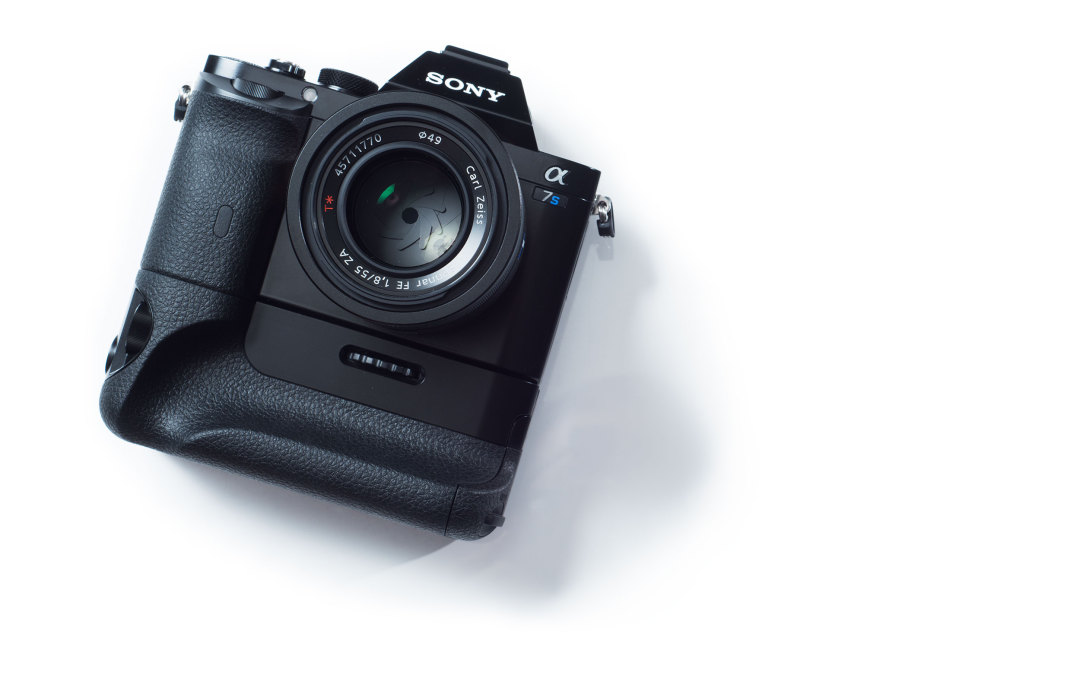
This post is just a public service announcement… I LOVE these Sony A7 series cameras for shooting panoramas. I actually photographed this one with my trusty Nikon D800 and 50mm f1.8 lens, my former love. We have plenty of A7R’s and the odd A7S. They’re light weight, well made, very high quality in every way, and not very expensive (relatively speaking.) The bodies are also identical, so anything we build/buy for the A7R, works perfectly with the A7S, what a brilliant concept. Of course the A7II is out now, and has changed the body a little, but I expect the next cameras in the A7II series to again be identical. Here’s...

by Aaron Spence | Nov 13, 2014 | News
Another milestone reached today, when we achieved 8+ million views on Google Views. Google recently added still photos to what was once the exclusive domain of 360 panoramas, so we’ve started creating still images from our panoramas, and adding them to the service. I am loving the results, check them out on our Google Views link below. Can be seen here in Panedia Google Street...
by Aaron Spence | Mar 4, 2014 | Google Street View
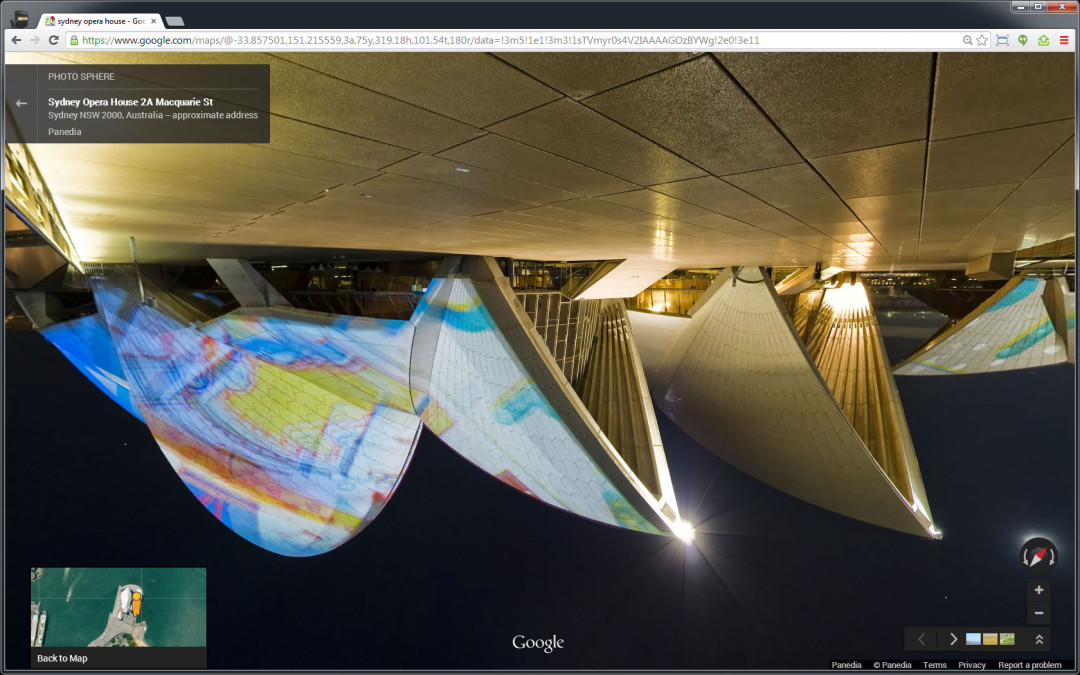
Take a Topsy Turvey Tour courtesy of a glitch in the Google Matrix. While working on some Google Views content this afternoon I noticed that Google had finally decided Australia was indeed the ‘Land Downunder’ and therefore it should see Google Maps Views upside down. I first noticed this on our Sydney Opera House Virtual Tours, but upon checking virtual tours we’d produced in New York they were also upside down. So perhaps it wasn’t Australia that was being flipped… it was any content produced by an Australian 😉 After messing around for a while I figured out how to make the tour flip upside down, and flip back the other way… so proceeded to have some fun… and make myself feel a little queasy at the same time. I suspect it won’t be around for long so I created a quick video for posterity. Here’s some of the links from the video above in case you want to try it yourself. (Note: I doubt this will work for very long. Chrome/Windows7) Google Maps Tour Links: Sydney Opera House Brooklyn Bridge – New York Uluru (Ayers Rock) Albuquerque Balloon...

by Aaron Spence | Feb 24, 2014 | Production
2 Weeks ago I had a simple Sydney trip planned to spend some time in the Catlin Seaview Survey Office, and produce panos for RSL Prize Homes. Then I mentioned to another client I was heading to Sydney… they immediately requested another 3 shoots… then another contacted me while I was in Sydney with another project to shoot. So a simple Sydney meeting/shooting trip became a major undertaking to complete 5 shoots in well under 24hrs. Suffice to say we got it all done, and everyone was happy. The End. The image above was a little extra curricular work I managed to squeeze in at the end of the RSL Prize Home shoot. Viewing the City and the Sydney Harbour Bridge from Balmain. The RSL Prize Homes were gorgeous as always, and came up beautifully in the panoramas. If you want a chance to win one of the homes, hit up the link below....

by Aaron Spence | Jan 26, 2014 | News
The illustrious blog your eyes now behold began with a bang whimper 7 years ago today. I started out on my own believing there’s got to be a better way to produce & display panoramic content… today we have a growing team of 7, producing world renowned projects. It has been a hell of a ride. During the past years Michelle and I have put everything on the line repeatedly to build Panedia. We’ve sunk hundreds of thousands of dollars into developing the business, at one stage selling our first home to enable us to continue growing. I don’t regret giving up our home for a second*, as I LOVE what I do, I LOVE the business we’ve built, I LOVE the work we produce and the people I produce it with with. I’ve made plenty of mistakes along the way, but I wouldn’t change a thing. (Well… just a few things.) Along the way we’ve produced more than 15,000 terrestrial panoramas, and over 55,000 underwater panoramas. We’ve worked alongside ‘Ma & Pa’ businesses, charities helping our communities like Mater and RSL, all the way up to the big leagues with the Catlin Seaview Survey, Tourism Queensland and Google among many others. (Check the latest underwater count here at the Catlin Global Reef Record.) Of course the blog wasn’t the start of the work and company that became Panedia, that story goes back another year to 2006, (or to 1999 when I started panoramic photography or to 1987 when I started photography) but it was the first time I posted regular content produced using the new systems I had begun developing....

by Aaron Spence | Jan 17, 2014 | Virtual Tours
Late last year we produced virtual tours and stills of a cool demonstration 1 bedroom apartment for a new building going up in Brisbane City. In post production we had to fill in walls and views where they didn’t exist, the result looks good. Construction has commenced, but there’s still apartments left if you wish to buy off the...

by Aaron Spence | Dec 10, 2013 | Virtual Tours
We stayed at this beautiful Coffs Harbour resort on a trip to Sydney a number of years ago now. As usual I shot a bunch of panoramas there… ’cause that’s what I do. Looks like we’ll be shooting a lot more there soon.

by Aaron Spence | Nov 5, 2013 | Panoramas
Our Catlin Seaview Survey partners were in Bermuda leading up to the launch of the Catlin Global Reef Record on September 23rd. They shot a number of areas for us to produce virtual tours of. Probably the most interesting is the ship wreck of the Mary Celestia. The Mary Celestia was a paddle steamer which sunk in 1864, it was being used to smuggle ammunitions and other supplies to the Confederate forces during the American Civil War. The wreck sits in only 55 feet of water and one of the huge paddle wheels in clearly visible at the dive site. The tour was also uploaded to Google Streetview, and can be seen here in Google...
by Aaron Spence | Sep 23, 2013 | Projects
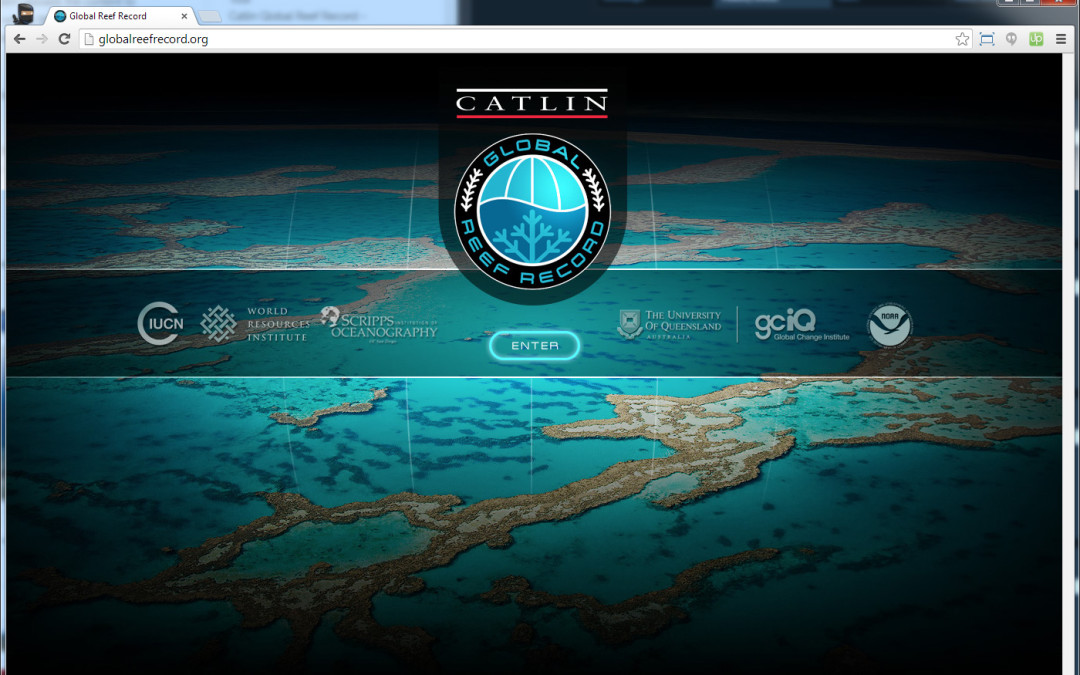
Today the largest project we’ve ever produced launched via a Google Hangout with various partners in 2 locations… New York and Bermuda. http://globalreefrecord.org The Catlin Global Reef Record (CGRR) is so much more than the work we usually do of producing interactive media. It’s a complete system of content and data acquisition from the underwater cameras of SVII, through many stages of data processing and content stitching to the finished scientific website. Completing the project has involved developing offline processing systems for the data and content collected underwater, which marry with the online database, mapping and panorama playback systems of the CGRR website. In short… extremely difficult stuff, that had to work at scale in order to produce over 40,000 high resolution panoramas = 30+ Terrabytes of data, which compressed down to 400 Gigabytes for the website. Of course the website had to not only work well (and it does), it had to be fast. We presently use the Akamai CDN for our Panedia content… but with over 40,000 panoramas, each containing 40+ pieces of content, there’s no way a CDN would cache anything of value for the local user. So we built our own CDN of sorts. The CGRR system uploads the content to Amazon S3 (USA), then replicates it to various S3 locations around the world. When the user enters the site, we check their location and serve content from the nearest S3 facility containing our data. Speed tests confirm the content is vastly quicker in various locations, over a traditional CDN or single S3 location. So now the site is live, we start on the next...

by Aaron Spence | Sep 10, 2013 | Projects
Top 20 Winners Video. (13mins w/music) Once again I was asked to judge interactive 360 panoramas (virtual tours) for the Epson International Pano Awards. As usual I thoroughly enjoyed the process, wishing only for more time to luxuriate in the outstanding work. As with previous years we also produced the top 20 video for show on the Epson stand at the PMA Photo Exhibition. To do this we use tools built way back in 2006, which work with After Effects, allowing us to produce HD and higher rez clean video output from...

by Aaron Spence | Aug 23, 2013 | Virtual Tours
We had the pleasure of working with YMCA Brisbane to produce virtual tours for 3 of their gyms, including the new flagship facility at Bowen Hills. Shooting Gyms can be fun, they certainly inspire you to get into shape… the only downside is they open VERY early. Photography without people usually requires us being onsite around 4am… not so fun, but we do it...

by Aaron Spence | Aug 15, 2013 | Panoramas
I was very excited when the team shot WHALE SHARKS for the first time recenlty. I’ve been asking for something big… I was expecting whales… but instead I got WHALE SHARKS. We also produced some coral panoramas from Gloves Reef in Belize. But did I mentioned… Whale Sharks...

by Aaron Spence | Jul 4, 2013 | Virtual Tours
Two more gorgeous display home virtual tours for the always outstanding Clarendon Homes. This time we’ve produced tours for their Park Hill 32, and Fairmont 38....

by Aaron Spence | Jul 1, 2013 | Panoramas
I was with the Catlin Seaview Survey team on Lady Elliot Island recently for a National Geographic documentary series on Australian Coastlines. They wanted to do a segment on the Catlin Seaview Survey, so we all had to suit up and perform our roles for the cameras. Of course we always take the opportunity to shoot great content when it presents. Enjoy the stunning Manta Rays, sitting like space voyaging battleships above the coral planets. By the way, I highly recommend Lady Elliot Island. It’s a beautiful low key place, where coral reefs live just a few meters off the beach. Not only that but the flight in and out is by small aircraft, a great experience on its...

by Aaron Spence | May 28, 2013 | Virtual Tours
We recently produced virtual tours of the Oracle at Broadbeach. Beautiful buildings.

by Aaron Spence | May 24, 2013 | Panoramas
The Galapagos National Park is a mecca for nature lovers with amazing biodiversity to be found both above and below the water. Together with Google, we worked with locally based scientific and conservation groups The Charles Darwin Foundation and the Galapagos National Park Service in the area. Of course our primary area of interest is what lives beneath the water, the Sea Lions being a very playful highlight for all involved. This is one of the best underwater panoramas we’ve ever produced, the series it’s from is also one of the most difficult. 10+ Sealions darting all over the place at lightning speed… you can bet there was more than the odd flipper that needed some post production...

by Aaron Spence | May 15, 2013 | Panoramas
Underwater Ship Wrecks are fascinating to view, and often encompass equally fascinating stories. The Antilla was another casualty of World War II, when hostilities broke out between Germany and the Netherlands. Here’s Wikipedia’s take on the events that lead to her 1939 sinking: On 9 April Germany invaded Denmark and Norway. This increased the fear that the Netherlands would also be invaded, so on 12 April Dutch authorities in Aruba confined Antilla’s crew to their ship. On 10 May Germany invaded the Netherlands so the Dutch government ordered the seizure of all German ships in the Dutch Antilles. At 0310 hrs on 10 May a section of Dutch Marines in two boats approached Antilla to board her but Schmidt refused to lower the gangway. The Dutch marines were commanded by a Captain who anticipated armed resistance from the German crew. He therefore postponed the boarding to first light, when a machine gun positioned ashore could provide cover. The German crew used the delay to start scuttling Antilla. One crewman locked himself in the engine room, opened her seacocks and climbed out through the funnel. Other crew set fire to several parts of the ship. At 0500 hrs the Dutch marines boarded the ship and at 0530 the German crew was assembled on the poop deck. The Marines escorted the crew ashore in a lifeboat and handed them into the custody of the Royal Marechaussee. At 0600 hrs two Netherlands Coastguard vessels, HM Aruba and HM Practico, reached Malmok Bay and found Antilla on fire. Two of Aruba’s crew boarded Antilla, found the engine room and numbers 4 and 5...